Vol. I — Warm Light
MochiDim icon — a mochi character reading a book

MochiDim

Tone-mapped warmth + tunable blue-light reduction for the manga reader.

Per-channel tone-mapping warms the reader pane without crushing the line art. Choose what gets dimmed — just the panels, or the whole reader. Layer tunable blue-light reduction on top for the 2am sessions. Works on MangaDex, Webtoons, Comick, Bato, MangaPlus and the rest of the open web.

Scope toggle Blue-light · 4 steps Hotkeys

Chrome · Brave · Edge · Arc  ·  $19 once  ·  Lifetime

Drag the handle. Feel the difference.

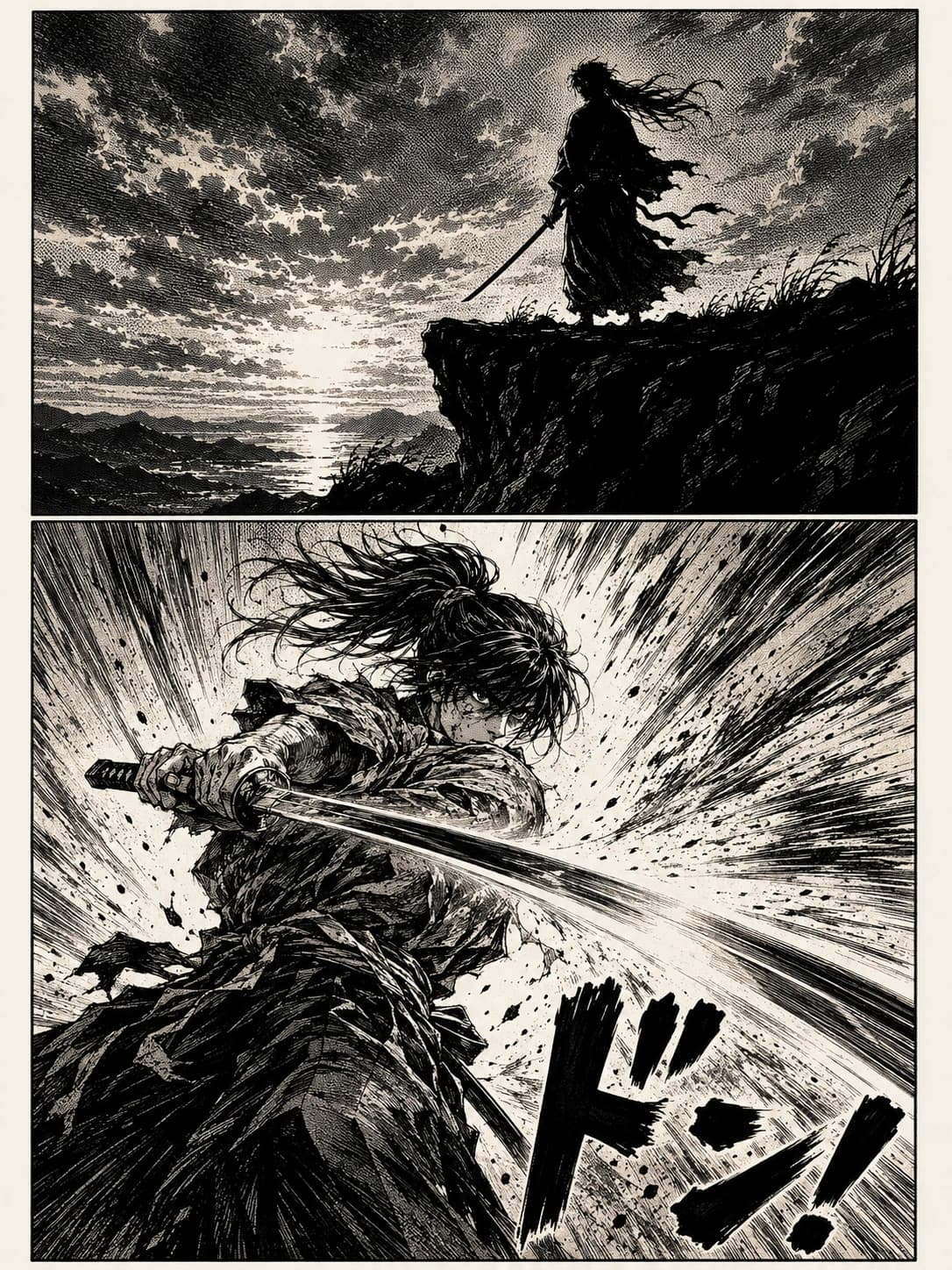
This isn’t a screenshot — it’s the actual MochiDim filter applied to a synthetic manga page rendered in your browser. Slide to see what your eyes will feel.

Demo manga page: a swordsman silhouette on a clifftop at sunset; below, the same swordsman mid-swing with a stylized ドン! sound effect.BeforeMochiDim
Drag · or use ← → keys

Choose what gets dimmed.

Every other dim or dark-mode extension paints the whole site. MochiDim is the only one that lets you scope the filter — to just the manga panels, or the whole reader pane. Two clicks in the popup, no settings page.

Same page, two clicks apart. The browser chrome and site nav stay normal in both — MochiDim never touches them.

Quietly the right amount of clever.

MochiDim does one thing — warmly dim manga images — but it does it well enough that you stop noticing it’s on.

Scoped to the reader pane, not the whole tab

MochiDim picks the reader container per site (the chapter image area on MangaDex, #_imageList on Webtoons, the viewer on Bato.to, etc.) and only applies its filter there. Site nav, comments and dark UI buttons stay at full brightness, so the rest of the page still works the way you expect.

Tone-mapped, not just dimmed

A simple brightness slider multiplies every pixel by the same number — blacks become grey, whites become muddy, contrast dies. MochiDim uses per-channel lookup tables (separate curves for R, G, B), so blacks stay deep, whites become warm cream, and mid-tones get an S-curve that preserves the line art.

Choose what gets dimmed

A scope toggle in the popup decides whether the filter applies to just the manga panels themselves (so the chapter title and sidebar inside the reader stay normal) or to the whole reader pane (the warmer, more immersive setting). Two clicks, no settings page.

Blue-light reduction in four steps

Off, Low, Med, High — quantized buttons rather than a fiddly 0–100 slider, because eyes don't think in percentages. The reduction is biased toward highlights (where most blue-light energy comes from), so deep-shadow detail in the line art isn't crushed. Independent of the dim intensity so you can have one without the other.

Three warmth presets

Paper (bright daytime cream), dusk (lamp-on evening), and midnight (deep late-night). The presets are different tone-curve shapes — not just different brightness values — tuned for different ambient light conditions.

Keyboard shortcuts that don't fight the page

Ctrl/Cmd+Shift+M toggles the dim, Ctrl/Cmd+Shift+, cycles the warmth preset. Both rebindable from chrome://extensions/shortcuts. Power users keep the popup closed; the rest of us never have to know they exist.

Local-only, zero tracking

Settings live in chrome.storage. The extension makes one network call ever — to validate your license. No reading history, no telemetry, no analytics, no third-party scripts.

Invisible by default. Always on.

Three things MochiDim does automatically while you read — no toggles, no settings, no UI to learn. The product gets out of your way.

Page-flash protection on chapter swaps

When you click to the next chapter, MochiDim detects the URL change and briefly boosts the warm filter to maximum while the new chapter loads — then eases back to your setting over 250ms. No bright-white flash hits your dark-adapted eyes between chapters.

Deepens warmth on splash spreads

Double-page spreads — action climaxes and chapter openers — are detected by aspect ratio (≥ 1.4) as they scroll into view. The filter deepens partway toward maximum for those panels, then eases back when you scroll past.

Self-heals across chapter changes

Manga readers swap their DOM on every new chapter without a real navigation. MochiDim's MutationObserver re-resolves the reader container and re-attaches the filter — the dim stays on across the whole reading session.

All three behaviors ship silently. Nothing to configure. Nothing to learn. You install MochiDim and stop noticing the bright pages that used to fry your eyes.

Other dark-mode options vs. MochiDim

Comparison of MochiDim against OS dark mode, Chrome forced dark mode, generic browser dimmers, and Dark Reader for manga reading.
BehaviorMochiDimOS dark modeChrome forced darkDark Reader
Preserves manga artworkYesNo — inverts panelNo — crushes whitesPartial
Per-channel tone-mapping (R/G/B curves)YesNoNoNo
Choose scope: panels-only or reader paneYesNo
Tunable blue-light reductionYes — 4 stepsWhole screen onlyNoNo
Page-flash protection on chapter swapsYes
Deepens warmth on splash spreadsYes
Leaves site nav & comments at full brightnessYesNoNoNo — themes whole site
Hotkeys to toggle & cycle warmthYes
Per-site memoryYesYes
Local-only, no telemetryYesYesYesMixed

Tuned for the manga sites you actually use.

Each site below has its DOM quirks. MochiDim ships with hand-tuned selectors so the dim applies cleanly without touching UI chrome. Sites we haven’t tuned for fall through to a generic <img> strategy.

  • MangaDexmangadex.org
  • Webtoonswebtoons.com
  • MangaPlusmangaplus.shueisha.co.jp
  • Comickcomick.io
  • Bato.tobato.to
  • Asuraasuracomic.net
  • Cubaricubari.moe
  • Tapastapas.io

Missing your site? Hit “Enable on this site” in the popup and the warm filter works on any long-form reading — AO3 / Archive of Our Own, Wattpad, Royal Road, ScribbleHub and other fanfic / web-novel sites, scanned books on Archive.org, image-based comic CBZ web readers, art-book viewers, and the Chrome PDF viewer for scanned PDFs. Per-channel tone-mapping is wavelength-agnostic — works the same on a wall of text as it does on a manga page.

Want tuned support for a specific reader? Email hello@mochipanel.com with the URL and we’ll add a built-in rule.

Install, buy, dim.

  1. Install from the Chrome Web Store

    10 seconds. Works in any Chromium browser — Chrome, Brave, Edge, Arc.

  2. Pay $19 once via Polar

    Secure checkout. Your license key arrives by email immediately.

  3. Open a chapter, hit the hotkey

    MochiDim warms the page. Tweak warmth per site to taste.

One price. Lifetime.

Best value
$19once

Lifetime license · all future MochiDim updates included

  • All current and future MochiDim features
  • Works on every Chromium browser you use
  • Free updates forever
  • 30-day no-questions refund
  • No subscription, ever
Buy MochiDim — $19

Secure checkout via Polar.sh · Visa, Mastercard, Apple Pay

Already paid? Re-activate your key →

Questions worth asking about MochiDim.

Q.01Why not just use Chrome dark mode, OS night shift, or a generic page dimmer?

+

All three damage the artwork in different ways. OS dark mode and Chrome's forced dark mode invert colors inside the panel — whites become grey, blacks become white — so the line art looks wrong. Generic browser-brightness extensions multiply every pixel by the same constant, leaving the page washed-out and muddy, and they dim the whole site including nav and comments. MochiDim is per-channel tone-mapping (R, G, B each get their own curve), scoped to the reader pane — so blacks stay deep, whites become warm cream, contrast is preserved, and the rest of the page stays normal. Blue light gets its own slider on top.

Q.02Which sites does MochiDim work on?

+

Out of the box: MangaDex, Webtoons, Tapas, Cubari, Bato.to, MangaPlus, Comick, Asura, and any plain <img>-based reader on the open web (good for self-hosted scans, scanlator sites, art books, Imgur galleries, scanned PDFs in the Chrome viewer). If a site uses a non-standard canvas-based reader, email hello@mochipanel.com and we'll add tuned support.

Q.03Is MochiDim a manga dark mode or a screen dimmer?

+

Both, in a specific way. It applies a warm, tone-mapped filter to the reader pane only — so the effect feels like dark mode for the artwork while site nav and comments stay in their normal light theme. That's intentional: you want chrome readable, and you want artwork preserved.

Q.04Does MochiDim slow down my browser?

+

No. MochiDim is a sub-megabyte content script that adds one SVG filter to one container element. The filter runs in the browser's GPU compositor pass — same hardware path as CSS transforms. There's no AI, no canvas processing, no image re-rendering, and no background telemetry running on every tab.

Q.05Does the blue-light reduction actually do anything?

+

Yes — and it's separate from the warmth dim, so you can have one without the other. The slider attenuates the blue channel on top of the preset curve, biased toward highlights (a bright pixel emits more total photons, so percentage-wise the same cut at white reduces vastly more blue-light energy than the same cut at the shadows). At full strength the white-blue value drops to roughly 50% of the preset's blue — comparable to f.lux at around 3400K — without crushing deep-shadow detail in the line art.

Q.06Is the $19 really one-time?

+

Yes. One payment, lifetime license, works on every Chromium browser you sign into (Chrome, Brave, Edge, Arc). All future MochiDim updates are included forever. New products from the studio (like MochiTranslate) are priced separately.

Q.07Does MochiDim collect my reading data?

+

No. The extension stores all settings locally in chrome.storage and makes exactly one network call: a periodic license-key check against Polar.sh. No URL is sent, no page content, no user account. Our privacy policy is the full version of this answer.

Q.08What's the refund policy?

+

30 days, no questions, no forms. Email hello@mochipanel.com from the address you used at checkout and we'll refund through Polar and revoke the license.

Q.09Will my MochiDim license work on a new computer?

+

Yes. Install MochiDim on the new machine, paste your license key in the extension settings, and you're back. The same key works across Chrome, Brave, Edge and Arc on as many personal computers as you own.

Q.10Does MochiDim work on Firefox or Safari?

+

Currently MochiDim ships for Chromium browsers (Chrome, Brave, Edge, Arc). A Firefox build is on the roadmap. Safari has a different extension model and isn't yet planned.

Still stuck? Email hello@mochipanel.com.

Stop frying your eyes mid-chapter.

Install MochiDim and the next 50 chapters will thank you.